Find your focus.
Custom flow timers, distraction-free workspaces, and instant scratchpad notes.
Bring your tabs, tasks, and ideas together in a browser designed to help you find your focus. Built on a hardened native engine with zero telemetry, automatic tab hibernation, and local AI reasoning.
For Windows 10 & 11 · Free & open source · 100% private
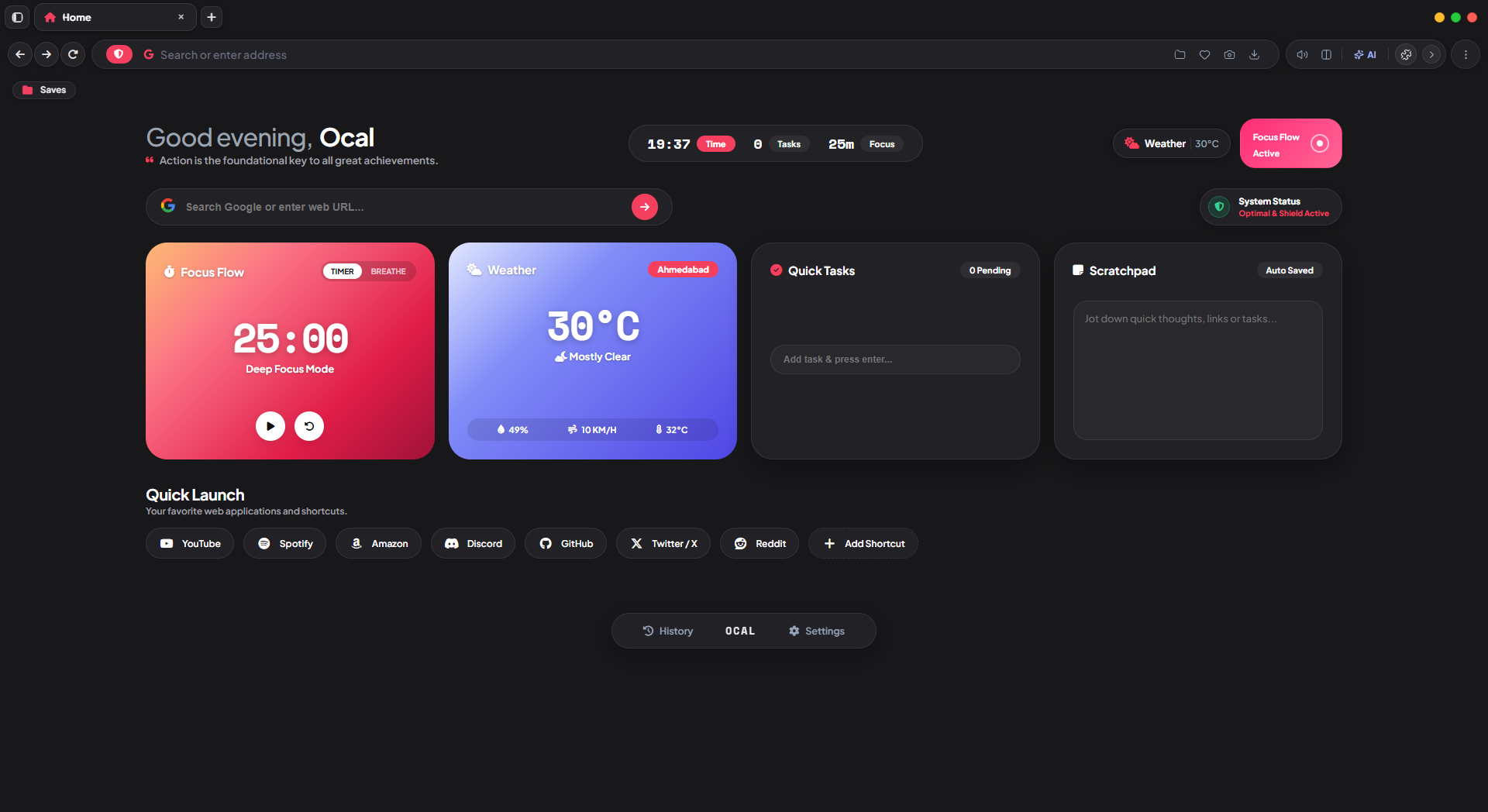
Custom flow timers, distraction-free workspaces, and instant scratchpad notes.
Background tabs hibernate automatically, saving up to 90% memory on heavy sessions.
Zero tracking telemetry, encrypted local history, and on-device private AI reasoning.
Click a capability below to explore how Ocal refines your everyday browser routine.
Set 25-minute uninterrupted work blocks with subtle ambient soundscapes, dimmed peripheral tabs, and zero notification popups.
Ocal keeps all modules running natively in C++ without third-party extension overhead.
Background tabs are serialized to compressed memory after 15 minutes of inactivity, keeping your PC fast even with dozens of tabs open.
Blocks trackers, analytics beacons, and browser fingerprinting scripts at compile time. Zero telemetry leaves your computer.
Integrated Pomodoro focus sessions and distraction blockers keep you productive without needing cluttering browser extensions.
Connect directly to your local Ollama or vLLM instance to summarize tabs and extract data with 100% on-device privacy.
Install your favorite tools, ad blockers, and developer utilities directly from the Chrome Web Store with full WebExtension compatibility.
Every line of code is open on GitHub. Inspect our security architecture, audit releases, or contribute improvements.
Yes. Ocal is built on Chromium’s robust rendering base, which means all modern websites, WebGL apps, and Chrome Web Store extensions work seamlessly.
When a tab has been inactive for a set duration (15 minutes by default), Ocal freezes the JS execution context and purges unneeded memory textures to disk. When clicked, it resumes instantly without reloading the page.
Yes. During first launch, or any time via Settings → Import, you can migrate your bookmarks, history, and search engines with a single click.
Everything is saved locally in an encrypted SQLite database on your device (%APPDATA%\Ocal\). We never sync your browsing data to remote servers.
An experimental Android APK is available in our release catalog. The primary desktop build is optimized for Windows 10 and 11 (64-bit).
Get Ocal Browser for Windows 10 & 11. Free, open source, and built for you.